Bar plot
To draw a bar plot, we simply use the command graph bar var.
The default setting for graph bar is to set y-axis as percent. The full command behind the scene is in fact graph bar (percent), where the percent option is omitted by default.
// Default bar plot, percent
graph bar, over(Cheibub4Type)
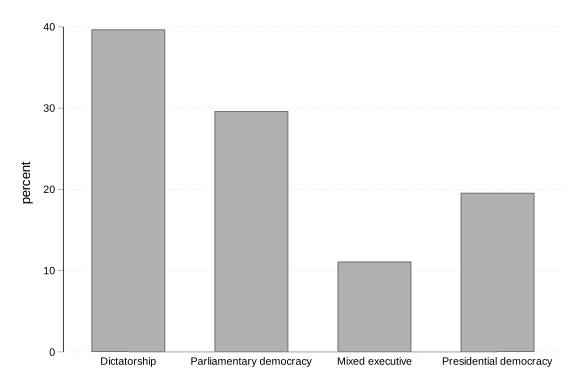
We can change the default setting, and change the y-axis to frequency / count.
// Frequency bar plot
graph bar (count), over(Cheibub4Type)
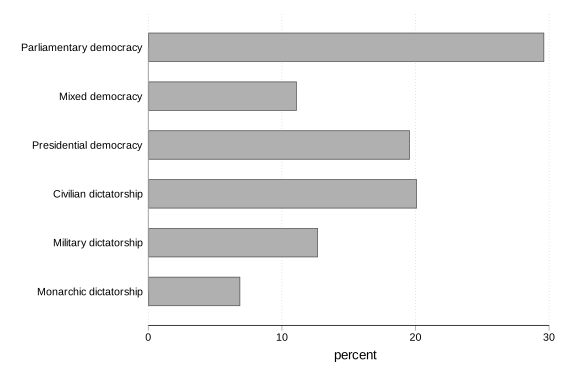
We can also rotate the graph to display horizontal bars, using graph hbar. This is helpful when we want to plot a variable with many categories. If we have too many categories, the category names tends to get crowded in a vertical bar plot, whereas the horizontal display gives us enough space to display the category names properly.
// Horizontal bar plot
graph hbar, over(Cheibub6Type)
Histogram
To draw a histogram, we can use histogram or the abbreviated hist command.
// Percentage of women in lower house, 2015 (IPU)
hist UNDP_Life2014
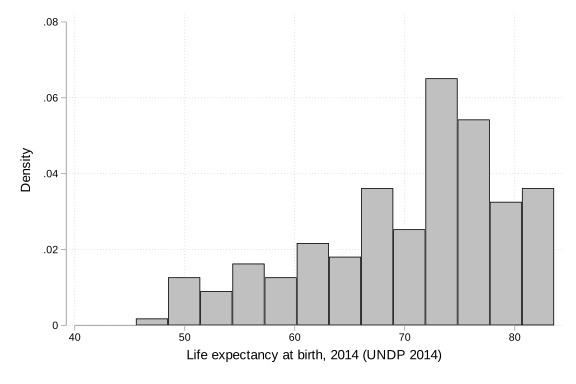
The default is density. We can change it to frequency, fraction, or percent.
hist UNDP_Life2014, freq
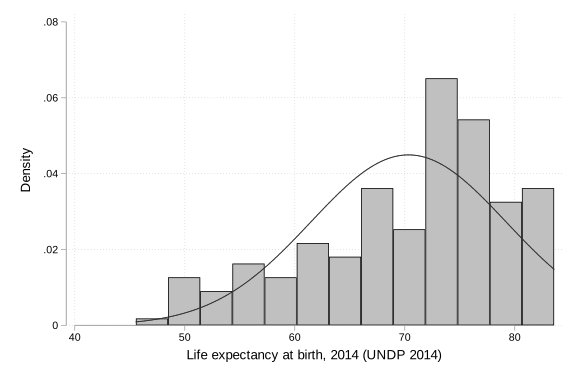
Some prefer to draw a frequency histogram with overlaid normal density curve to see if the observed distribution is aprroximatley symmetrical.
hist UNDP_Life2014, normal
Density plot
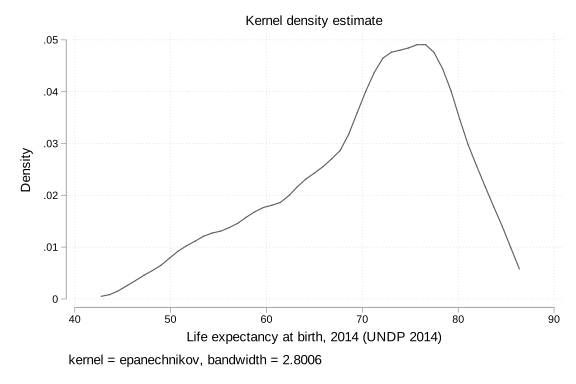
Density plot is similar to histogram, but is more “smoothed over”. To draw this, we use kdensity, stands for “kernel density”.
kdensity UNDP_Life2014
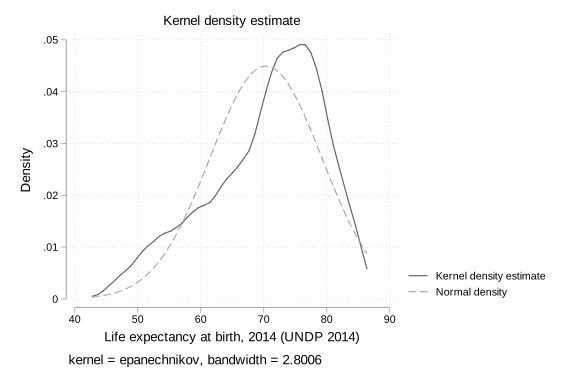
Similarly, we can overlay a normal density plot over the kernel density plot.
kdensity UNDP_Life2014, normal
Box plot
See this post for more discussions on how to read a box plot, and its drawback.
We can use graph box to draw a box plot.
// Life expectancy at birth, 2014 (UNDP 2014)
graph box UNDP_Life2014
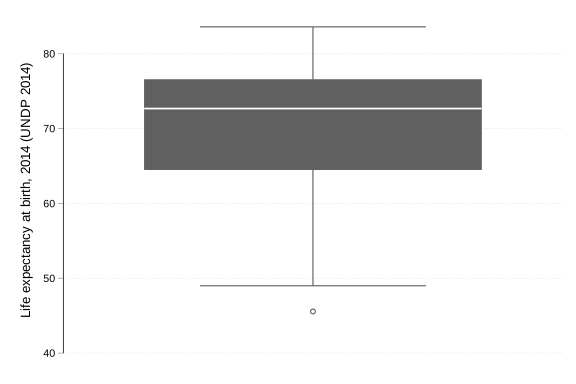
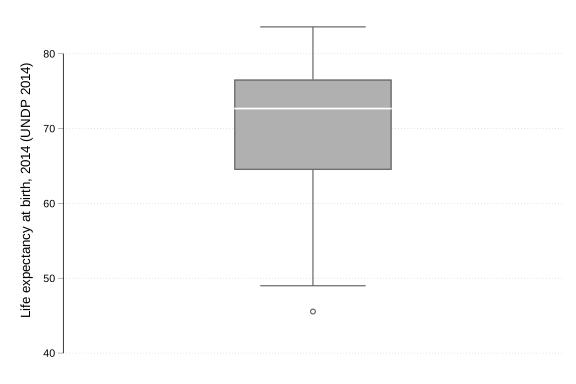
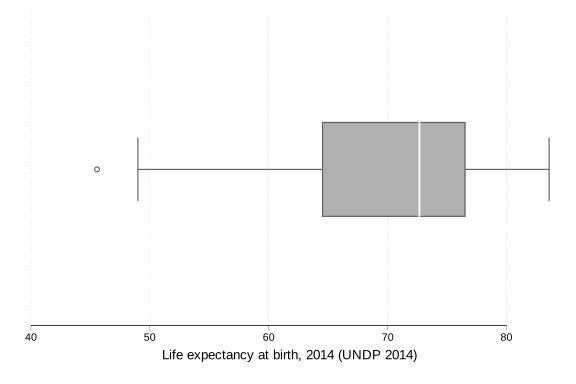
For a one variable box plot, the default graph does not look very nice. There are various aesthetic changes we can make. For example, we can use outergap() to increase the gap between the box and the margin (i.e. makes the box narrower), and use intensity() to change the intensity/transparency of the fill color of the box.
// Life expectancy at birth, 2014 (UNDP 2014)
graph box UNDP_Life2014, outergap(100) intensity(50)
We can also rotate the box plot horizontally by telling Stata to draw graph hbox.
graph hbox UNDP_Life2014, outergap(100) intensity(50)
Dot plot
We can think of a uni-variate dot plot as a one-way scatter plot, where each observation is represented as a dot and plotted individually.
dotplot UNDP_Life2014
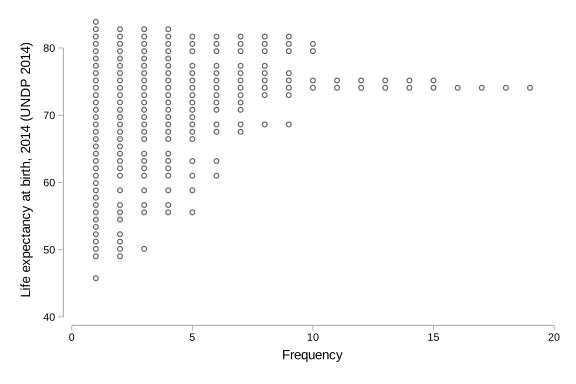
While dot plot is a good way to display all the data (we can see each observation individually), it tends to get cluttered when we have a large sample size.